
The dealer calculator
Pricebook in. Commission set. Quote out. The pricing tool from Pricing your deals is live — it does the math the spreadsheet used to do, in one screen, with the right rebate already baked in. Use it for every deal.
What it does
Section titled “What it does”It folds the four-step pricing flow from Pricing your deals into one form:
- You enter your floor cost per unit + adder.
- You set the commission you want to make.
- It applies the right rebate (family type × DAC × decommission status).
- It applies the lender’s dealer fee.
- Out comes the sticker price the homeowner sees and the financed amount that goes into the lender’s calculator.
No mental math. No spreadsheet. No miscalculated rebates.
Walkthrough — six steps
Section titled “Walkthrough — six steps”1. Sign in
Section titled “1. Sign in”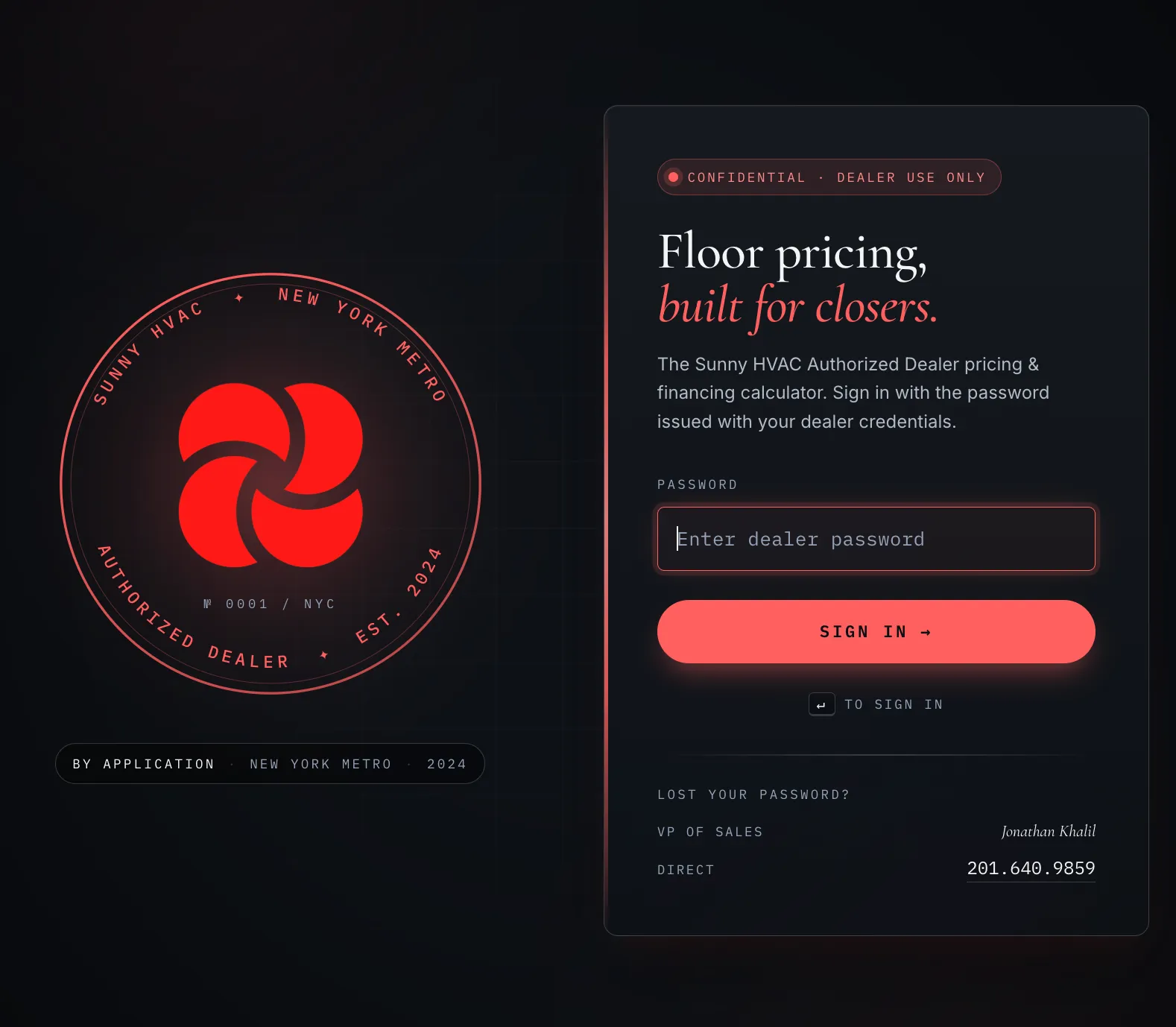
Open sunny-dealer-calculator.pages.dev and enter the dealer password issued with your credentials. Lost it? See Lost your password at the bottom of this page.
2. § 01 — Home & rebates
Section titled “2. § 01 — Home & rebates”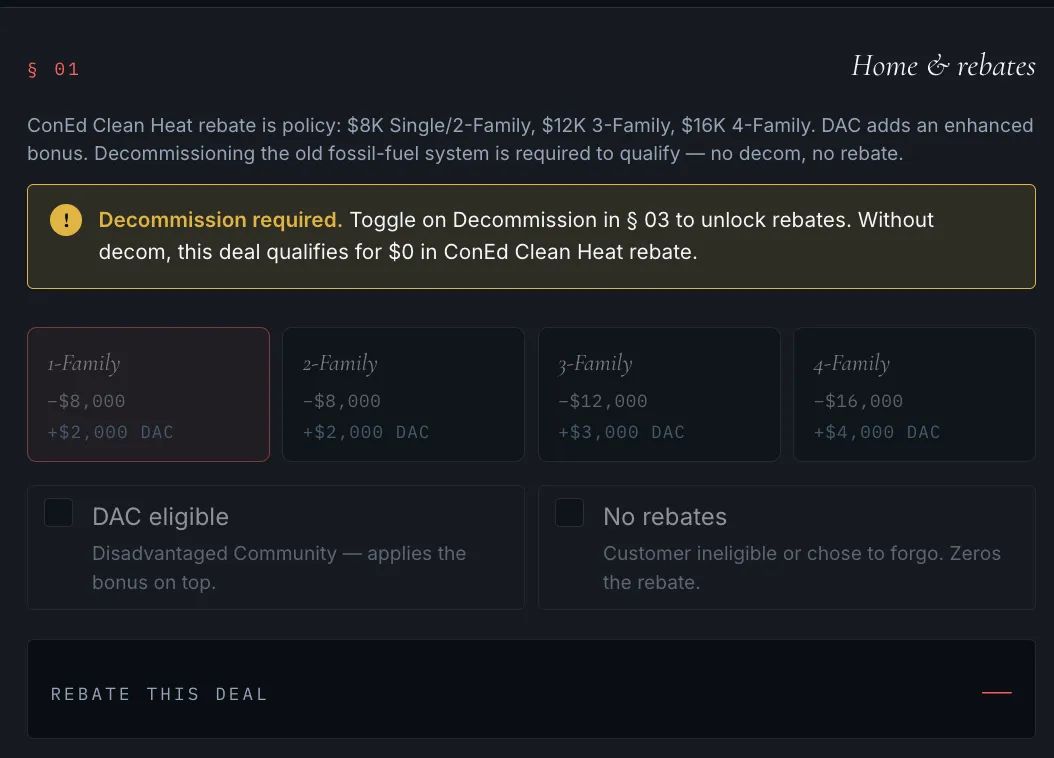
Locked on first load? That’s the gating — jump to §03 and toggle Decommission ON before you do anything in §01. Once Decommission is active, the family cards become clickable and the DAC checkbox unlocks. Then come back here and pick the home type.
| Family type | Base rebate | DAC bonus | Total when DAC |
|---|---|---|---|
| 1-Family | −$8,000 | +$2,000 | −$10,000 |
| 2-Family | −$8,000 | +$2,000 | −$10,000 |
| 3-Family | −$12,000 | +$3,000 | −$15,000 |
| 4-Family | −$16,000 | +$4,000 | −$20,000 |
Once §01 is unlocked, pick the home type whose family count matches the property.
Then toggle:
- DAC eligible — applies the bonus on top of the base rebate. Confirm the property is in a Disadvantaged Community before you toggle it on.
- No rebates — homeowner is ineligible or chose to forgo. Zeros out the rebate line.
3. § 02 — Heat pump units
Section titled “3. § 02 — Heat pump units”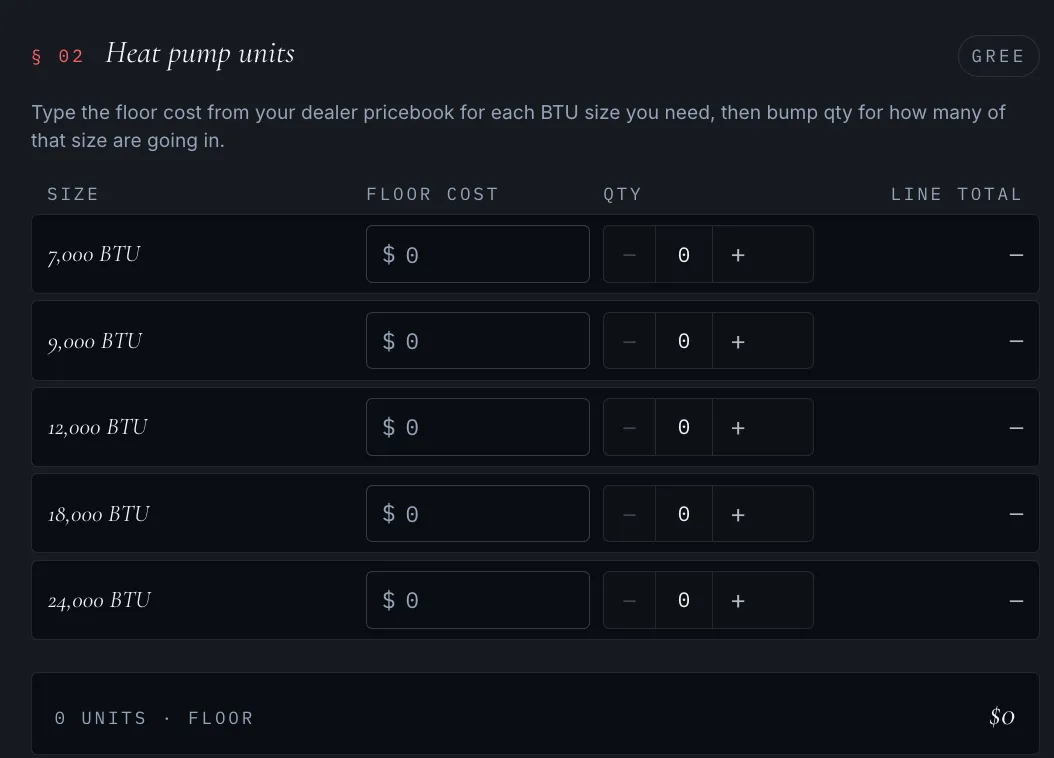
For every BTU size on the deal:
- Type the floor cost from your dealer pricebook into the cost field.
- Use + / − to set the quantity.
The line total, total floor, and total unit count update as you type.
4. § 03 — Additional services (adders)
Section titled “4. § 03 — Additional services (adders)”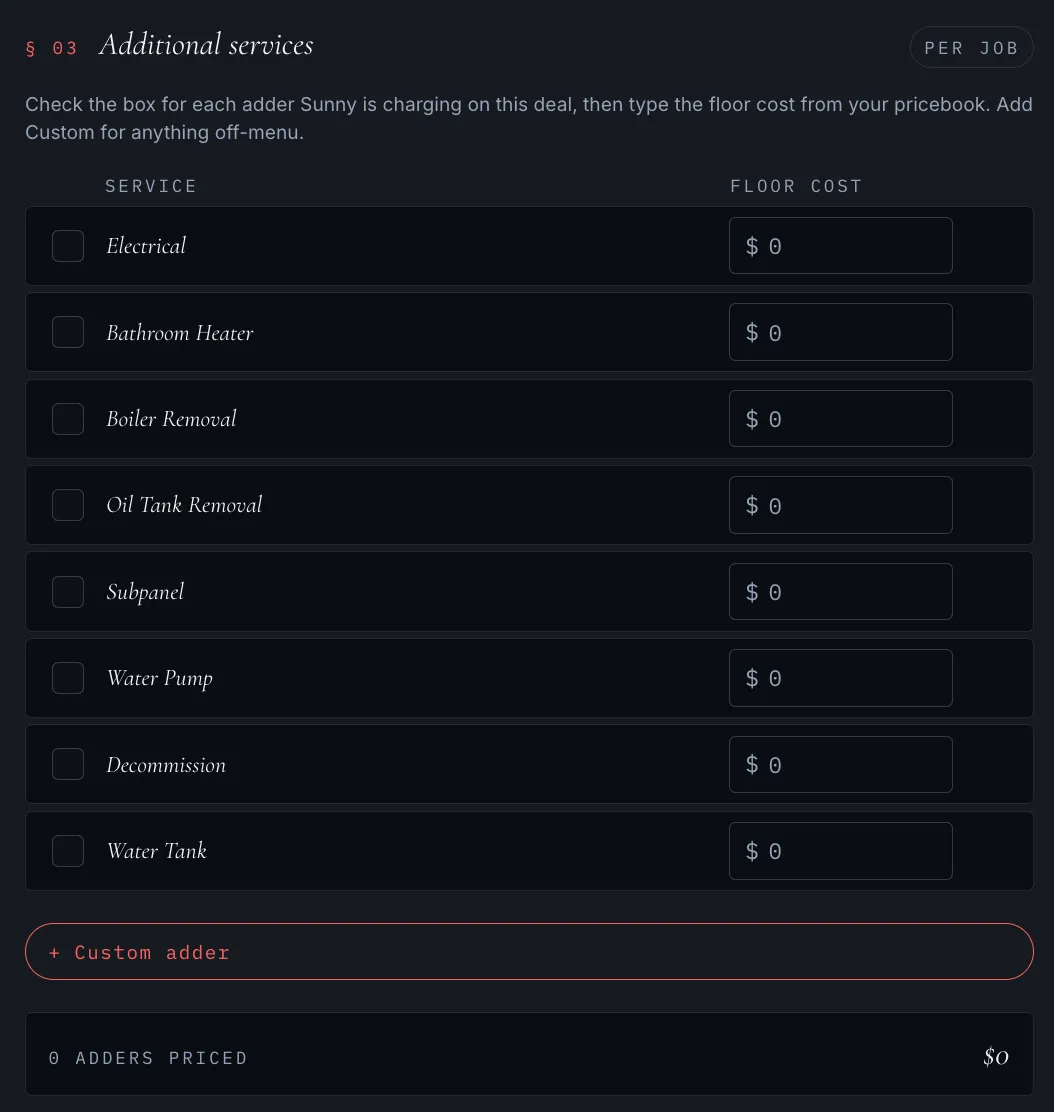
Standard adders: Electrical, Bathroom Heater, Boiler Removal, Oil Tank Removal, Subpanel, Water Pump, Decommission, Water Tank.
For each one Sunny is charging on this deal:
- Check the box.
- Type the floor cost from your pricebook.
For anything off-menu (out-of-spec sub-panel work, custom flashing, an unusual permit, etc.), hit + Custom adder and type your own line item.
5. § 04 — Commission & dealer fee
Section titled “5. § 04 — Commission & dealer fee”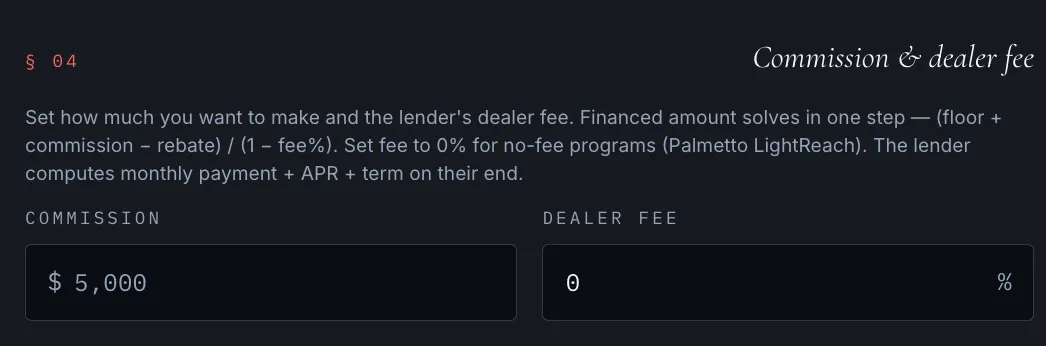
Two inputs:
| Field | What it is | Typical value |
|---|---|---|
| Commission | what you make on the deal | $5,000–$7,000. See the ethical floor before you go higher. |
| Dealer fee | the lender’s fee on the financed amount | 0% on Palmetto LightReach (lease — no fee). Varies on Synchrony / Green Sky / Wisetack. Match the percentage on the lender’s program sheet. |
The math (the calc does it for you):
Financed amount = (floor + commission − rebate) ÷ (1 − fee%)
The lender computes the monthly payment, APR, and term once you enter that financed amount on their end.
6. Quote — sticker out, financed out
Section titled “6. Quote — sticker out, financed out”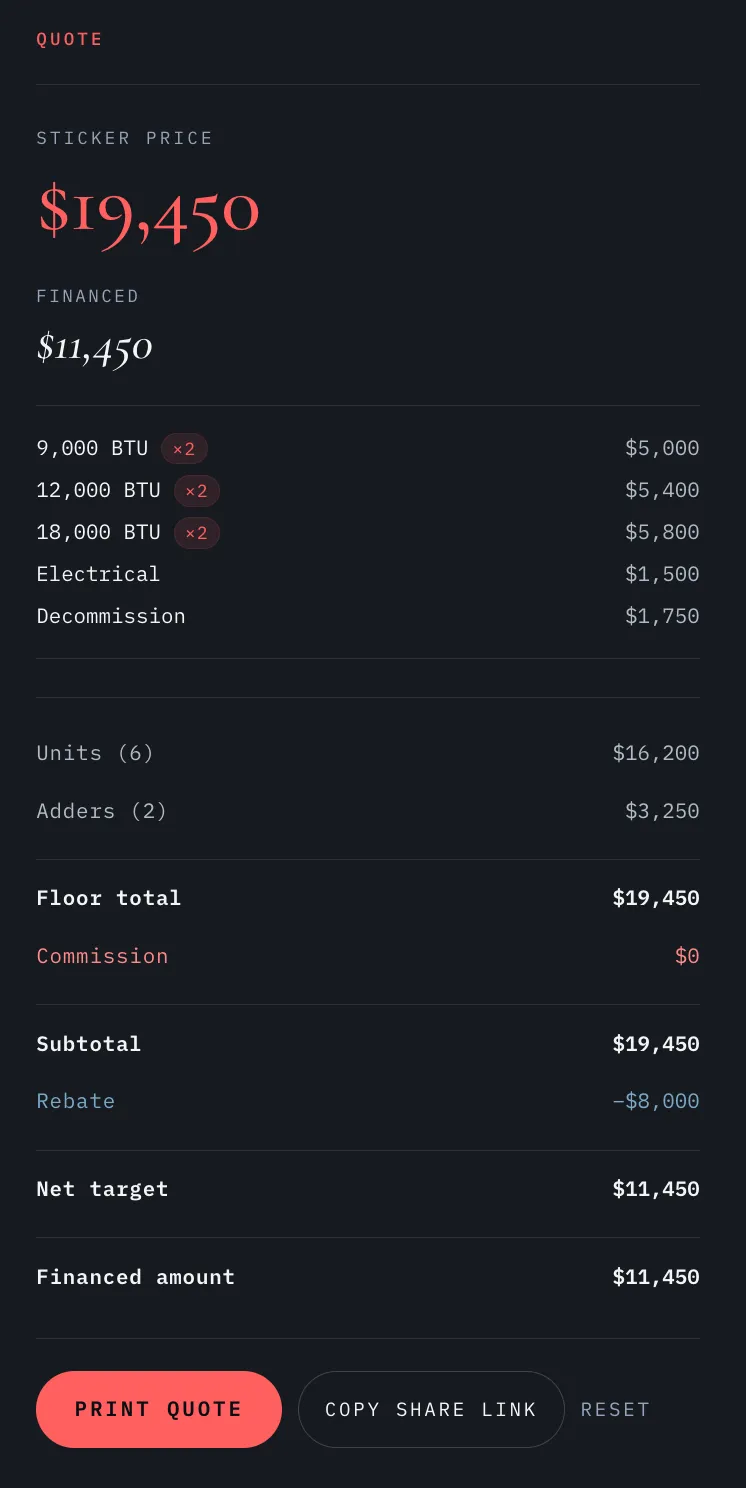
Two big numbers at the top:
- Sticker price — what the homeowner sees on the proposal.
- Financed amount — what gets keyed into the lender’s calculator to produce the monthly.
Below that, every unit + adder is broken out as a line item, plus the full math chain: floor total → commission → subtotal → rebate → net target → financed amount.
Three buttons:
- PRINT QUOTE — saves a PDF of the full breakdown for your records.
- COPY SHARE LINK — copies a URL that encodes the deal state. Send it to your manager or to Jonathan for a sanity check before you present.
- RESET — clears the form for the next deal.
Don’t do this with the share link
Section titled “Don’t do this with the share link”For the homeowner, present the sticker price only on whatever your normal proposal format is. The calculator is a pricing tool, not a proposal tool.
Worked example — replicate this in the calc
Section titled “Worked example — replicate this in the calc”A real demo deal, 1-Family DAC decommissioning, six units across three sizes, three adders, $6,000 commission, lease (0% dealer fee):
| Inputs | Value |
|---|---|
| Home type | 1-Family · DAC eligible · Decommissioning |
| 9,000 BTU | 2 × $2,500 floor |
| 12,000 BTU | 2 × $2,700 floor |
| 18,000 BTU | 2 × $2,900 floor |
| Adders | Electrical $1,500 · Subpanel $500 · Decommission $1,750 |
| Commission | $6,000 |
| Dealer fee | 0% (Palmetto LightReach lease) |
| Outputs | Value |
|---|---|
| Units total (6) | $16,200 |
| Adders total (3) | $3,750 |
| Floor total | $19,950 |
| Commission | $6,000 |
| Subtotal | $25,950 |
| Rebate (1-Family DAC) | −$10,000 |
| Net target | $15,950 |
| Sticker price (to homeowner) | $25,950 |
| Financed amount (to lender) | $15,950 |
That $15,950 is what you key into the Palmetto LightReach calculator on the lender’s side to produce the monthly payment. Run the same inputs in the live calc — you should land on the same numbers exactly.
When to use it
Section titled “When to use it”- Every deal. The calc is faster than the spreadsheet was, even on simple jobs.
- Before you walk into the home. Pre-load your floor cost so quotes are instant.
- As soon as you’ve sized the units. Don’t talk price until the calc has run.
- For any deal you want a second pair of eyes on. Copy the share link and send it to your manager or to Jonathan.
- When a homeowner asks “what if it’s not DAC?” — flip the toggle, see the new sticker / financed amount in real time.
Common mistakes
Section titled “Common mistakes”- Trying to pick a family type or DAC before turning on Decommission → those controls are locked until §03 Decommission is ON. Toggle Decommission first, then §01 unlocks.
- Forgetting Decommission entirely on a decom deal → §01 stays locked, rebate stays at $0, financed amount comes out $10K+ too high.
- Setting a dealer fee on a lease → Palmetto LightReach has no dealer fee. Leave at 0%.
- Entering the dealer fee as a dollar amount instead of a percent → the field is a percentage. 10% dealer fee on Synchrony is
10, not1000. - Sharing the link with a homeowner → kills the deal instantly when they see your margin.
- Treating the PDF as a proposal → it has your floor cost on it. Use a separate proposal format.
- Padding $2K+ per unit on commission → see the ethical floor. Hurts referrals more than it pays.
Lost your password?
Section titled “Lost your password?”Contact your dealer manager, or reach Jonathan directly:
- Jonathan Khalil — VP of Sales — 201.640.9859